AI API docs generators: what works and what needs humans

Oluwatise Okuwobi
Content Marketing Manager
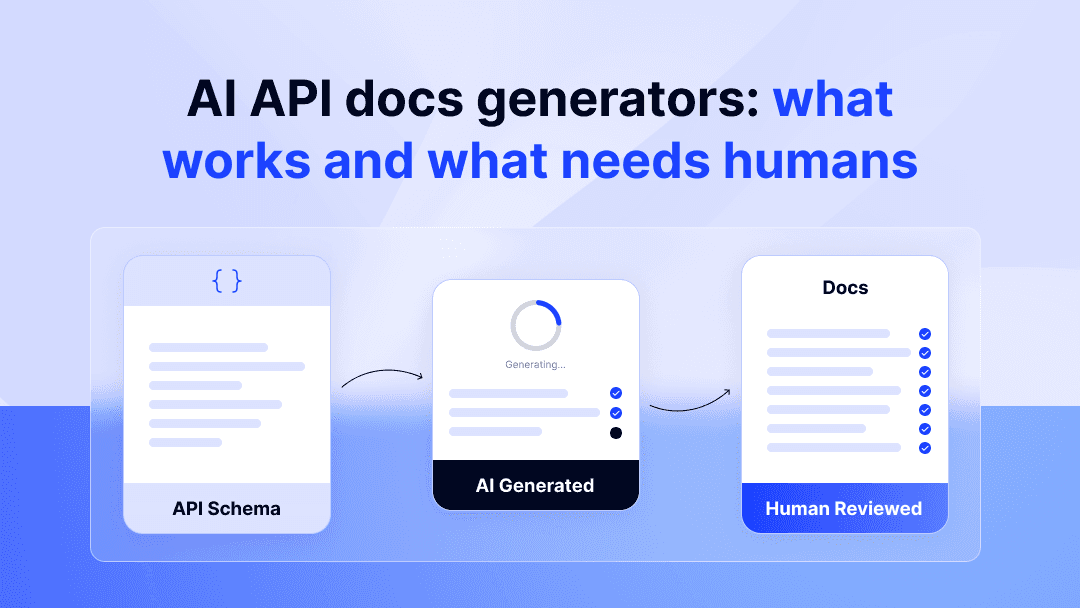
API documentation is the first thing a developer touches after signing up for your product. If they can't find a working authentication example or figure out which endpoint to call first, they leave. And most of them don't come back.
That's why more teams are looking at AI API documentation generators to close the gap. The pitch is appealing: point a tool at your OpenAPI spec or codebase, and get documentation in minutes instead of weeks. But here's the catch. AI that hallucinates an endpoint's behavior or skips your authentication flow doesn't save anyone time. It creates support tickets and erodes the trust you were trying to build.
This post breaks down where AI documentation generators deliver real value, where they consistently fall short, and how to combine AI speed with human judgment to produce API docs that developers actually use.
What AI API documentation generators actually do
AI API documentation generators are tools that automate part or all of the process of creating developer-facing documentation from your API's source code, specifications, or both. They range from spec parsers with AI layered on top to full LLM-powered drafting tools that can produce tutorials, concept explanations, and getting started guides.
Most tools on the market fall into three categories.
Spec-based generators
These tools take your OpenAPI (Swagger) or AsyncAPI specification file and generate structured reference documentation automatically. Tools like Swagger UI and Redocly have done this for years. The AI layer is newer, adding auto-generated descriptions for endpoints, parameters, and response fields that would otherwise be blank or require manual input.
The output is typically an API reference: endpoint lists, parameter tables, request/response schemas. It's structured and predictable, but it stops at the reference level. You get a catalog of what your API can do, not a guide for how a developer should use it.
Code-to-docs generators
Tools like DocuWriter.ai and similar products analyze your codebase directly and produce documentation from code comments, function signatures, and internal logic. They're useful when your API spec is incomplete or outdated, because they work from the source of truth: the code itself.
The tradeoff is context. These tools can describe what a function does at a mechanical level, but they rarely understand why it exists or how it fits into a larger integration flow. A payment creation endpoint might get a technically accurate description that completely misses the fact that developers need to call the tokenization endpoint first.
LLM-powered drafting tools
This is the newest category. Tools like Mintlify's AI features and Theneo use large language models to generate not just reference docs, but also getting started guides, concept explanations, and code examples. You provide your spec or existing docs as input, and the LLM produces human-readable content that goes beyond parameter tables.
These tools are fast. They can produce a first draft of an entire documentation set in hours. But "first draft" is the key phrase. The output needs review, editing, and often significant restructuring before it's ready for developers to rely on.
Where AI documentation tools deliver real value
AI works best in documentation when the task is well-scoped, repetitive, and tied to structured input. It won't replace your documentation strategy, but it can take hours of mechanical work off your plate.
Generating boilerplate from specs
The most reliable use case for AI documentation tools is turning structured API specs into readable reference content. If you have a well-maintained OpenAPI file, AI can generate endpoint descriptions, parameter tables, and response schema breakdowns with reasonable accuracy. This is work that a technical writer would otherwise do manually, line by line, and it's the kind of task where AI's speed advantage is real.
For a fintech API with hundreds of endpoints across payments, refunds, and settlements, that boilerplate generation alone can save days of initial drafting time.
Producing request and response examples
AI is good at reading your spec and generating working code examples in multiple languages. A tool can take your POST /payments endpoint, read the schema, and produce a cURL request, a Python snippet, and a Node.js example that all match. These still need testing. AI-generated examples can include deprecated parameters or miss required headers. But they give you a starting point that's faster than writing each one from scratch.
First-draft concept explanations
Need a first pass at explaining what webhooks are, how your pagination works, or what idempotency keys do in the context of your API? AI can produce a reasonable draft. The explanation won't be tailored to your product's specific quirks yet, but it gets 60-70% of the way there. A human editor can then add the product-specific context, edge cases, and real-world examples that make it actually useful.
Keeping docs in sync with spec changes
This is where AI adds compounding value over time. Some tools can detect changes in your API spec between versions and flag which documentation pages need updating. A few go further, generating draft updates for changed endpoints so a writer can review and approve rather than hunting through a changelog. For fast-moving products that ship weekly, this diff-based approach keeps documentation from falling behind the product, which is the single most common documentation failure we see across our clients.
Where AI API documentation falls short
AI documentation tools are getting better, but they consistently miss at the tasks that have the biggest impact on whether a developer successfully integrates your product. The failures tend to cluster in the same areas.
Accuracy of authentication and authorization flows
Authentication is the first real hurdle in any API integration. It's also where AI-generated documentation is most dangerous. AI can describe OAuth 2.0 in general terms, having been trained on thousands of OAuth tutorials, but your specific implementation has details that matter. Which scopes are required for which endpoints? What does the token refresh flow look like for your multi-tenant setup? What happens when a token expires mid-transaction?
AI tools tend to produce authentication docs that are technically plausible but not actually correct for your product. A developer following those instructions will hit errors they can't debug, and they'll end up in your support queue. When we rebuilt PagBank's API documentation, the authentication flow restructuring was one of the first things we tackled. It required hands-on testing against the live API, not AI generation.
Multi-step integration tutorials
A getting started guide that walks a developer from zero to a successful API call involves sequencing, conditional logic, and an understanding of what the developer doesn't know yet. AI can generate a tutorial that looks complete on the surface, but the steps may be in the wrong order, skip a prerequisite, or assume knowledge the reader doesn't have.
At Tonder, we structured five distinct integration methods (SDK, direct API, hosted checkout, and two additional variants) as separate, self-contained paths. A developer needed to understand which path applied to their situation before writing a single line of code. That kind of decision-tree thinking is something AI doesn't do well. It tends to produce one generic path and miss the branching logic that real products require. The result of getting that structure right? Integration time dropped from two months to ten days.
Product-specific terminology and domain context
Every API product has domain-specific language that carries precise meaning. In fintech, terms like "settlement," "chargeback," and "tokenization" have specific definitions that vary between products. In health tech, clinical terminology needs to be defined before developers can meaningfully engage with the API.
AI defaults to the most common definition it's seen in training data. If your product uses "transaction" to mean something different from the Stripe definition, AI won't know that. When we worked with CarePortals, building a product glossary across three distinct health tech portals was foundational work. Every piece of documentation that followed depended on those definitions being precise. That's product discovery work, not content generation.
Information architecture and content strategy
This is the biggest gap, and it's the one that matters most. AI can generate pages of documentation. It cannot tell you which pages you need, in what order they should appear, how they should be organized for different user types, or what the developer journey through your docs should feel like.
Information architecture, the structural logic that determines whether a developer finds what they need or gets lost, requires understanding your product, your users, and their goals. It's the reason frameworks like Diataxis exist: separating tutorials from references from explanations from how-to guides isn't a formatting choice. It's a decision about how developers learn and work.
No AI tool on the market does this. And it's the part of the documentation process that drives the largest measurable outcomes.
The hybrid approach: AI speed with human accuracy
The teams getting the best results from AI documentation tools aren't replacing writers with AI. They're using AI to eliminate the slow, repetitive parts of the workflow so humans can focus on the work that actually moves metrics.
Where to use AI in the documentation workflow
AI fits naturally into three parts of the process. First, drafting: generating first-pass reference content, boilerplate descriptions, and code examples from your API spec. Second, formatting and consistency: checking that terminology is used consistently across pages, that code examples follow the same style, and that parameter descriptions match between the reference and the guides. Third, change detection: flagging when the API spec has changed and which docs need updating.
These are tasks where speed matters more than judgment. AI handles them well enough to save real time, and the output is easy for a human to review and correct.
Where humans are non-negotiable
Three areas still require human expertise, and they're the areas where documentation quality is actually determined.
Product discovery comes first. Before you write a single page, someone needs to understand the product deeply enough to map the developer journey, identify the key use cases, and define what "getting started" actually means for your specific API. At Yuno, that discovery process, intensive calls with engineering and product teams to map the developer journey end-to-end, is what made it possible for new developers to make their first successful API call in 15-20 minutes. AI had no role in that work.
QA and testing is second. Documentation that hasn't been tested against the live product is documentation you can't trust. We test every flow ourselves: following the steps, running the code, verifying that the response matches what the docs say. AI can generate a code example that looks correct. Only a human running it against the actual API knows if it is.
Information architecture is third. Deciding which content exists, how it's organized, and how different user types navigate it is strategic work. It's the difference between docs that get 80,000+ monthly visits, like the unified portal we built for Nayax across 10+ products, and docs that exist but nobody uses.
What this looks like in practice
The practical workflow is straightforward. Use AI to generate your reference docs from the spec. Have a writer review and correct them. Use AI to produce first-draft code examples, then test every one manually. Let humans handle the getting started guides, the integration tutorials, and the content architecture. Use AI for ongoing maintenance, flagging spec changes and generating draft updates, while humans review before publishing.
This isn't a compromise. It's how you get both speed and accuracy. A complete documentation portal delivered in 6-8 weeks uses AI where it adds value and human expertise where it's required.
How to evaluate an AI API documentation generator
If you're considering an AI documentation tool, focus on what it produces in practice, not what the marketing page promises. Here's what to look for.
Evaluation criteria | What good looks like | Red flags |
|---|---|---|
Spec integration | Reads OpenAPI 3.x and AsyncAPI natively; updates when spec changes | Requires manual copy-paste or only supports older spec versions |
Output editability | Generates Markdown or docs-as-code files you own and can edit in Git | Locked into a proprietary editor with no export |
Code example accuracy | Produces examples that compile and run against a test environment | Examples use placeholder values that don't match actual schemas |
Domain handling | Lets you define custom terminology and product-specific context | Produces generic descriptions that could apply to any API |
Content scope | Clearly labels what's AI-generated vs. human-written | Markets itself as a full replacement for technical writers |
Does it integrate with your existing API spec?
The tool should read your OpenAPI or AsyncAPI spec file directly and stay in sync as it changes. If you have to manually export and re-import your spec every time the API updates, you'll stop doing it within a month and the docs will drift. Look for Git-based workflows or CI/CD integration that keeps the documentation pipeline automated.
Can the output be edited and maintained by humans?
Any AI-generated documentation becomes a liability if you can't edit it. The tool should produce files in a standard format (Markdown, MDX, or similar) that your team can version-control, review, and modify. If the output lives only inside the tool's proprietary platform with no clean export, you're trading one dependency for another.
Does it handle your domain context?
Ask the tool to document one of your most complex endpoints, not the simplest one. Look at what it produces. Does it understand your product's terminology, or does it default to generic descriptions? Does it handle the relationships between endpoints (e.g., "you must call tokenization before payment creation"), or does it treat each endpoint in isolation? The answer will tell you how much human editing the tool's output actually requires.
What to Take Away
AI API documentation generators save real time on boilerplate reference content, code examples, and spec-change tracking.
They consistently miss on authentication flows, multi-step tutorials, domain-specific terminology, and information architecture, the areas that most affect whether developers successfully integrate your product.
The best approach is hybrid: AI for first drafts and maintenance, humans for strategy, testing, and developer experience.
When evaluating tools, test them against your most complex endpoint, not your simplest. And check whether you can edit and own the output.
Documentation that actually drives product adoption, like cutting integration time from 20 days to 7 at PagBank or increasing adoption by 50%+ at Yuno, requires human expertise in product discovery, QA, and content architecture. AI accelerates the workflow. It doesn't replace it.
If you're trying to figure out whether AI can handle your API documentation, or you're looking at the gap between what AI produces and what your developers actually need, we've helped companies like Yuno, PagBank, and Nayax build documentation portals that drive real product adoption. Book a strategy call and we'll walk through what a documentation project looks like for your product.

